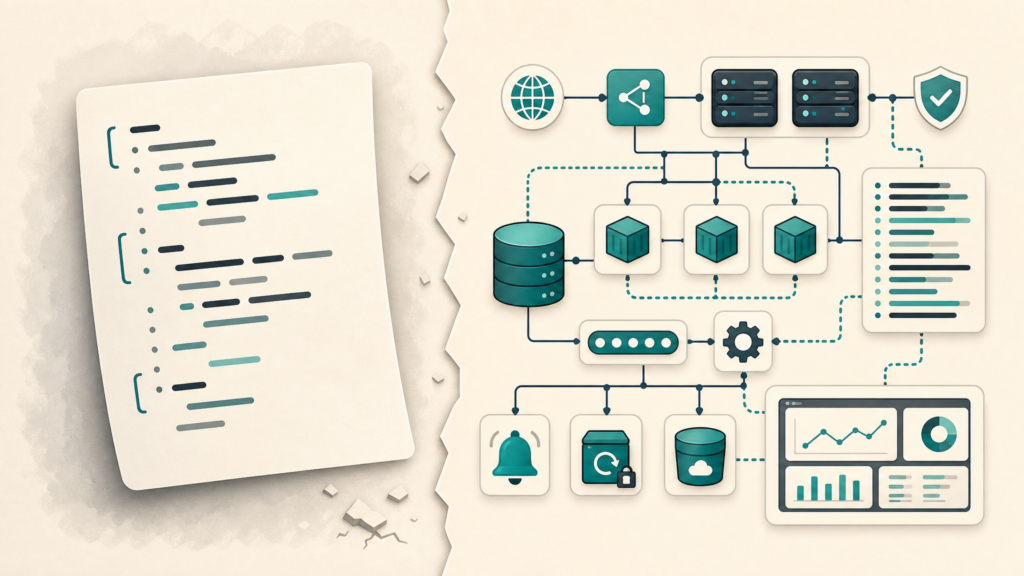
A script is not a system.
A script is a tool. Sometimes it is exactly what you need. It takes input, does a thing, and exits. Clean. Simple. Beautiful.
A system is what you build when the work matters after you walk away. A system has ownership, logs, alerts, rollback, documentation, credentials, scheduling, and a plan for when the happy path stops being happy.
Scripts Do Tasks
Scripts are great for repeatable jobs with clear inputs and clear outputs.
- Rename files.
- Export a report.
- Call an API.
- Clean up a folder.
- Transform one format into another.
There is nothing wrong with a script. The problem starts when a script quietly becomes business-critical and nobody upgrades the thinking around it.
Systems Carry Responsibility
A system has a wider job than the code itself. It has to keep working when inputs change, people forget things, credentials expire, and the original author is on vacation.
That means a system needs answers to boring questions:
- Where does it run?
- Who owns it?
- Where are logs?
- How do we know it failed?
- How do we replay or recover?
- What changed last?
If those answers do not exist, you probably have a script wearing a fake mustache.
The Moment a Script Becomes a Liability
A script becomes a liability when the business starts depending on it but the support model does not change.
It starts innocently. Someone writes a quick script to save time. Then it gets scheduled. Then someone else relies on the output. Then it feeds a report. Then it breaks and everyone discovers the only person who understood it left six months ago.
That is not a coding problem. That is an ownership problem.
What to Add When the Script Matters
- Logging: enough detail to know what happened.
- Alerting: failure should not be discovered by a customer.
- Configuration: no hardcoded secrets or magic paths.
- Idempotency: rerunning should not make the mess worse.
- Documentation: what it does, where it runs, and how to recover.
- Version control: because guessing what changed is a terrible hobby.
Do Not Overbuild Everything
The answer is not to turn every 20-line helper into a platform. That is how teams bury themselves in ceremony.
Use the risk to decide the weight. A personal cleanup script does not need a dashboard. A nightly job that updates customer-facing data probably does.
The Simple Test
Ask one question:
If this fails while I am asleep, how will I know, and what happens next?
If the answer is “someone will notice eventually,” you do not have a system yet.
What I Would Do Differently
I would promote scripts sooner. Not to make them fancy. To make them survivable.
The code is usually the easy part. The system is everything around it that keeps the work from becoming a future surprise.